
Imagine this.
It’s Monday morning, and your sales team has just confirmed a customer order worth ₹3,50,000.
Everyone is happy because it looks like a great start to the week.
Then your warehouse manager walks into the office with bad news.
“Sir, we only have 28 units left.”
Your sales team quickly checks the Excel sheet.
It shows 125 units in stock.
The warehouse checks again.
The actual stock is still only 28.
Within a few minutes, the customer is informed about the delay, your purchase team starts calling suppliers for urgent deliveries, and your operations team spends the rest of the day figuring out where the inventory mismatch happened.
If this situation sounds familiar, you’re not alone.
Thousands of businesses lose money every month because they don’t have accurate inventory visibility. The problem isn’t always the people managing inventory. In many cases, it’s the system they’re using.
Many growing businesses still depend on spreadsheets, manual stock registers, or outdated software. These methods may work when you’re managing a few products, but as your business grows, they become slow, error-prone, and difficult to manage.
That’s why choosing the right inventory management software has become one of the most important business decisions in 2026.
Modern inventory software doesn’t just tell you how much stock you have. It helps you predict future demand, automate routine tasks, manage multiple warehouses, reduce stock shortages, improve customer satisfaction, and make smarter business decisions using AI-powered insights.
However, not every inventory management solution is the right fit for every business.
Some platforms are designed for small retailers, while others are built for manufacturers, wholesalers, distributors, or fast-growing eCommerce businesses.
Instead of selecting software based on advertisements or pricing alone, you should evaluate how well it solves your business challenges today and how effectively it can support your future growth.
Before investing your money, here are the 11 most important things every business owner should know.
1. Understand Your Business Requirements Before Looking at Software
One of the biggest mistakes businesses make is comparing software before understanding their own requirements.
Imagine visiting a car showroom without knowing whether you need a family SUV, a commercial vehicle, or a compact city car.
You’ll probably end up buying something that looks impressive but doesn’t actually meet your needs.
The same applies to inventory management software.
Before requesting product demonstrations, take time to answer a few important questions.
- How many products do you currently manage?
- Do you operate from multiple warehouses?
- Do you manufacture products or only buy and sell them?
- Do you sell through your own website, online marketplaces, or retail stores?
- How many employees will use the software?
- Do you need batch tracking or serial number tracking?
Your answers will help you eliminate software that doesn’t fit your business model.
Remember, the best inventory software isn’t the one with the longest feature list—it’s the one that solves your daily operational challenges.
2. Don’t Choose Software Based Only on Price
Every business wants to reduce expenses.
That’s completely understandable.
But choosing inventory software simply because it’s the cheapest option often becomes an expensive mistake.
Imagine paying only ₹800 per month for inventory software.
Initially, it seems like a smart decision.
A few months later, your business expands.
Now you need barcode scanning, multiple warehouses, purchase approvals, and integration with your accounting software.
Unfortunately, your software doesn’t support these features.
Now you have two options.
Continue using software that slows down your business or migrate your entire inventory database to a new platform.
Both options cost far more than choosing the right software from the beginning.
Instead of asking,
“Which inventory software is the cheapest?”
Ask yourself,
“Which inventory software will provide the best value over the next five years?”
A slightly higher monthly investment can save hundreds of employee hours, reduce inventory mistakes, and improve customer satisfaction.
3. Think About Where Your Business Will Be Three Years From Now
Many business owners buy software based only on today’s requirements.
Unfortunately, businesses don’t stay the same for long.
Your product catalogue grows.
Sales increase.
New employees join.
Additional warehouses open.
You start selling on online marketplaces.
The software that works perfectly today may become a limitation tomorrow.
That’s why scalability is one of the most important factors when choosing inventory software.
Ask yourself:
- Will you expand to another city?
- Will you hire warehouse staff?
- Will you introduce manufacturing?
- Will you sell internationally?
- Will your inventory double within the next few years?
If the answer to any of these questions is yes, choose software that can grow alongside your business.
Changing inventory software after two years is time-consuming, expensive, and disruptive.
Choosing a scalable solution today saves significant effort in the future.
4. AI Is No Longer a Luxury Feature
A few years ago, Artificial Intelligence sounded like something only large corporations could afford.
In 2026, that’s no longer true.
AI is becoming one of the most valuable tools for businesses of every size.
Instead of simply recording inventory transactions, modern software analyzes your business data and helps you make smarter decisions.
For example, suppose you sell air coolers.
Every summer, demand increases dramatically.
Instead of manually estimating how much stock you’ll need, AI can analyze previous years’ sales, seasonal trends, supplier lead times, and current demand to recommend exactly when to reorder inventory and how much to purchase.
Similarly, AI can identify products that haven’t sold in months, helping you reduce excess inventory before it affects your cash flow.
These insights allow business owners to move from reactive inventory management to proactive planning.
The result is fewer stock shortages, reduced overstocking, better purchasing decisions, and improved profitability.
Modern AI-powered inventory software can also generate automatic low-stock alerts, recommend purchase quantities, detect unusual inventory movements, and provide intelligent business dashboards that help managers make faster decisions.
Businesses that embrace AI today will have a significant competitive advantage over those still relying on manual inventory planning.
5. Make Sure It Integrates with Your Existing Business Software
Inventory management software should never work in isolation.
Your inventory system is connected to almost every department in your business. If it doesn’t communicate with your accounting software, CRM, eCommerce platform, shipping partner, or ERP, your employees will spend hours entering the same data repeatedly.
Imagine receiving an order from your online store.
Without integration, your team has to manually update inventory, generate invoices, create shipping labels, and reconcile payments. Apart from being time-consuming, this process increases the chances of human error.
Now imagine the same process with an integrated inventory management system.
The moment an order is placed, inventory is updated automatically, the invoice is generated, the shipping process begins, and the accounting records are synchronized—all without manual intervention.
Before buying any software, check whether it integrates with the tools you already use.
Some common integrations include:
- Accounting software
- CRM software
- ERP systems
- eCommerce platforms
- Shipping partners
- Payment gateways
- Barcode scanners
- POS systems
The more connected your business systems are, the smoother your daily operations become.
6. Real-Time Inventory Tracking Is No Longer Optional
One of the biggest reasons businesses lose customers is inaccurate inventory information.
Imagine a customer orders a product from your website because it’s marked “In Stock.”
A few hours later, your team discovers the product is actually unavailable.
The customer receives an apology email.
The order gets cancelled.
You lose revenue and, more importantly, customer trust.
Real-time inventory tracking eliminates these problems.
Every purchase, sale, stock transfer, or return updates your inventory instantly.
Whether you operate one warehouse or ten, everyone works with the same accurate inventory data.
Real-time tracking also helps business owners answer important questions instantly.
- Which products are running low?
- Which warehouse has available stock?
- Which products are selling the fastest?
- Which items haven’t moved in the last 90 days?
Instead of waiting for monthly reports, you can make informed decisions every day.
7. Don’t Ignore the Mobile App
Business owners don’t spend their entire day sitting in front of a computer.
You might be visiting customers, attending meetings, travelling, or checking warehouse operations.
That’s why mobile accessibility has become one of the most important features in modern inventory software.
A good mobile application allows you to:
- Check stock availability
- Approve purchase orders
- View sales reports
- Track inventory movements
- Scan barcodes
- Monitor warehouse activities
Imagine receiving an urgent call from a customer asking whether a product is available.
Instead of calling your office, you simply open the mobile app and check live inventory within seconds.
Small conveniences like these save time and improve customer service.
8. Reports Should Help You Make Better Decisions
Many businesses have plenty of data but very little useful information.
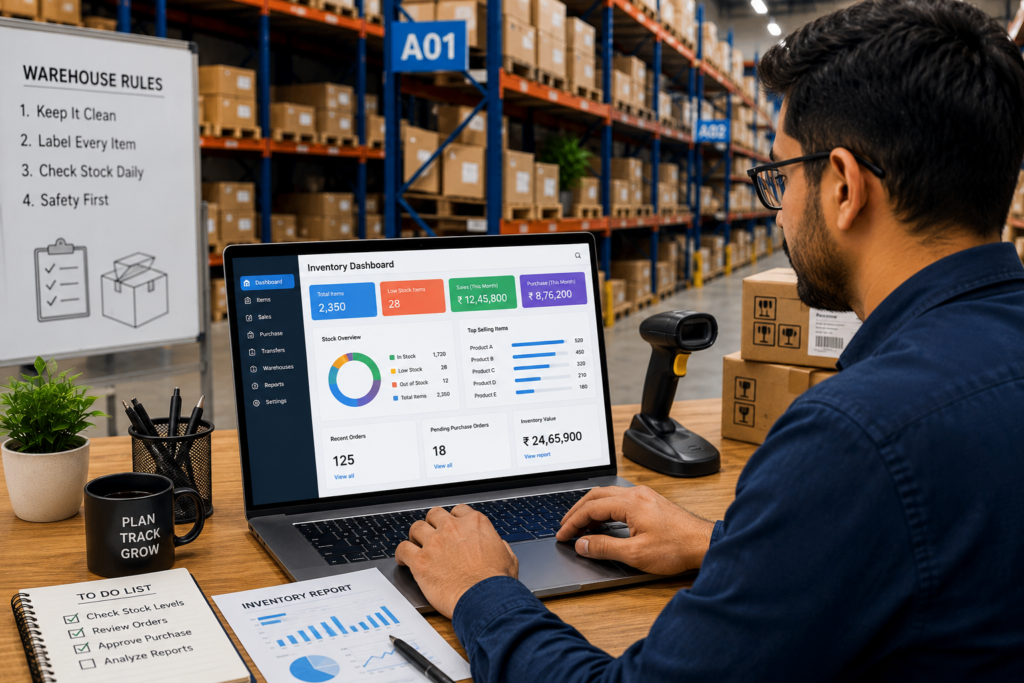
Good inventory software shouldn’t just generate reports—it should help you understand what those reports mean.
Look for dashboards that answer questions such as:
- Which products generate the highest profit?
- Which items are occupying warehouse space without selling?
- Which suppliers deliver on time?
- What is your inventory turnover rate?
- Which products should be reordered this week?
- What is the value of your current inventory?
Visual dashboards and AI-powered insights make this information easier to understand than traditional spreadsheets.
Instead of spending hours creating reports manually, your team can focus on improving operations.
9. Reliable Customer Support Is Just as Important as Features
Many businesses compare software based on features alone.
Very few evaluate the quality of customer support.
This can become a costly mistake.
Imagine your inventory system stops working during your busiest sales season.
If customer support takes two days to respond, your entire operation could be affected.
Before choosing software, check:
- How quickly does the support team respond?
- Is support available through phone, email, and chat?
- Do they provide onboarding assistance?
- Are training videos and documentation available?
- Is there an active knowledge base?
Great software combined with poor support often leads to frustration.
On the other hand, responsive customer service can make implementation faster and help your team adopt the software more confidently.
By this stage, you’ve already evaluated the most important technical and operational aspects of inventory management software. However, there are still a few critical factors that many businesses overlook before making a purchase.
10. Security and Data Backup Should Never Be an Afterthought
Your inventory data is one of your business’s most valuable assets. It contains product information, stock quantities, purchase records, supplier details, sales history, and warehouse transactions.
Imagine losing all this information because of a system failure or cyberattack. Recovering years of inventory data can be difficult, expensive, and in some cases, impossible.
That’s why security should be one of your top priorities when evaluating inventory management software.
Choose a solution that offers:
- Secure cloud hosting
- Automatic data backups
- Role-based user permissions
- Two-factor authentication (2FA)
- Data encryption
- Activity logs to track user actions
If multiple employees use the software, role-based permissions become especially important. For example, your warehouse staff may only need access to stock updates, while managers should be able to approve purchase orders and view financial reports.
A secure inventory system protects not only your business data but also your customers’ trust.
11. Always Request a Demo or Free Trial Before Making a Decision
Reading feature lists and watching promotional videos can give you an idea of what the software offers, but nothing replaces hands-on experience.
Before purchasing any inventory management software, request a live demonstration or sign up for a free trial.
During the trial, involve the people who will use the software every day, including your warehouse team, purchase department, sales staff, and managers.
Ask them questions such as:
- Is the interface easy to understand?
- Can common tasks be completed quickly?
- Does the software match our workflow?
- Are reports easy to generate?
- Does it integrate smoothly with our existing systems?
A trial period often reveals strengths and limitations that aren’t obvious from marketing materials.
Remember, you’re not just buying software—you’re investing in a tool your team may use every day for years.
Common Mistakes Businesses Make When Buying Inventory Management Software
After working with growing businesses, one pattern becomes clear: many implementation problems begin long before the software is installed.
Avoid these common mistakes:
- Buying software based only on price.
- Choosing a solution with features you’ll never use while overlooking the ones you actually need.
- Ignoring future business growth.
- Not checking integration capabilities.
- Skipping employee training.
- Failing to involve the warehouse and operations team during evaluation.
- Purchasing without testing the software first.
Avoiding these mistakes can save your business significant time, money, and frustration.
Quick Buyer’s Checklist
Before making your final decision, make sure the software provides:
- Cloud-based access
- Real-time inventory tracking
- AI-powered demand forecasting
- Barcode and QR code support
- Multi-warehouse management
- Mobile application
- Purchase order automation
- Integration with accounting software
- Integration with CRM and eCommerce platforms
- Advanced reporting and dashboards
- Strong security and automatic backups
- Responsive customer support
- Affordable pricing with room to scale
If the software checks most of these boxes, you’re likely investing in a solution that can support your business for years to come.